















Donbet Casino Login: Account Sign In and Password Recovery
Welcome to the Donbet login page. Signing in should take seconds, and when it does not, the fix is usually simple. This page covers the login steps, password recovery, account checks, mobile access and the most common errors, all in plain British English and based on how our sign-in screen really behaves.
How To Sign In To Our Donbet Casino Account
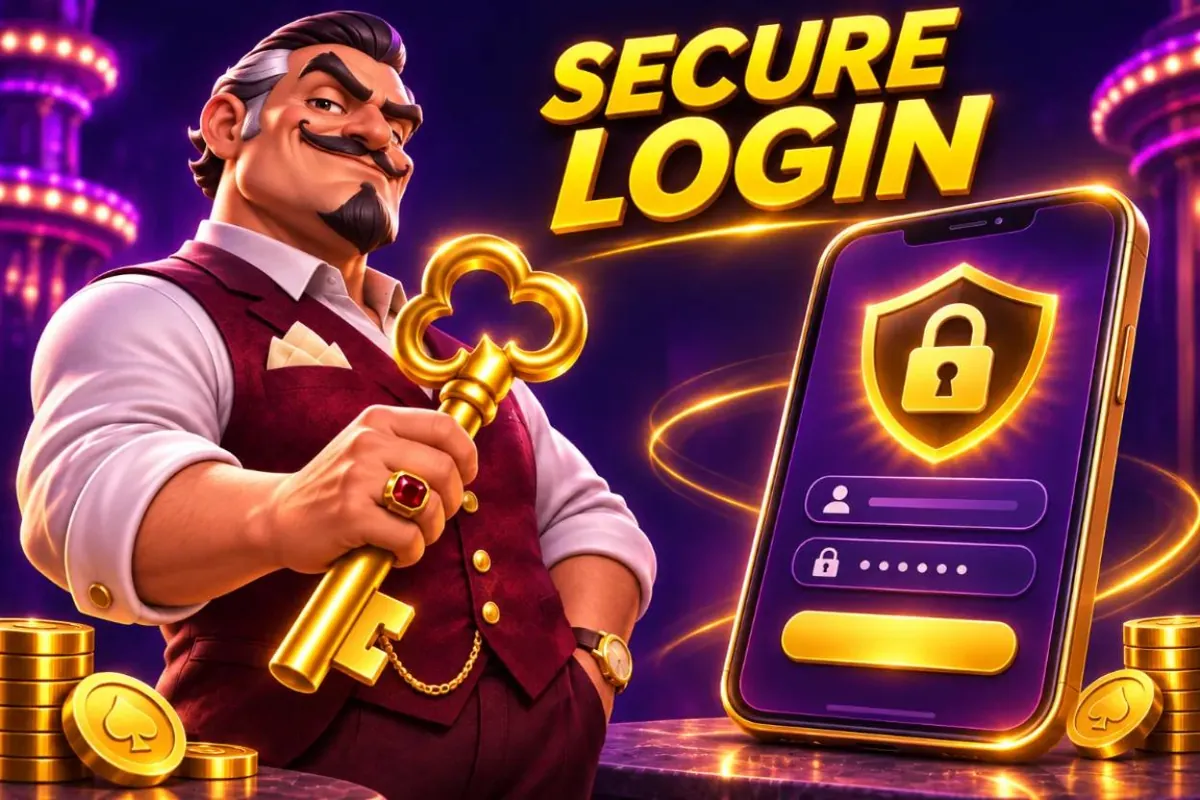
Our login journey starts at the sign-in screen, where registered account holders enter their details. Depending on the account, an extra verification step may appear after the password.
Preparing Our Account Details Before Login
Before signing in, it is worth checking the website address and making sure the device is a trusted one. Correct details alone do not always guarantee access if the account is restricted, a security check is pending or the service is briefly unavailable.
Following Our Donbet Casino Login Process
The usual process is to open the sign-in page, enter the registered username or email and password, complete any security check shown and wait for the account dashboard to load. If a step fails, reading the message on screen helps far more than trying again and again.
Login Process Step By Step
- Open the sign-in screen Select Log In at the top of the page.
- Enter the username or email Use the details the account was registered with.
- Enter the password Type the password carefully. The visibility toggle helps on mobile.
- Complete any check Finish a verification step if one appears.
- Start playing The account dashboard and lobby load once the login succeeds.
Recovering Access To Our Casino Password
Password recovery begins with the reset option on our sign-in screen. We clarify how to enter the registered contact detail, use the reset message we send, choose a new password and reach our contact route if access to that email or number has been lost.
Password Reset Step By Step
- Select Forgot Password Find the link under the login fields.
- Enter the registered email Use the email address linked to the account.
- Open the reset message Follow the link in the email before it expires.
- Create a new password Choose a strong password that is not used anywhere else.
- Log in again Sign in with the new password on any device.
Handling Incorrect Password And Account Errors
An error may follow a typing mistake, an outdated saved password, a temporary lock or additional identity verification. The sensible response is to check the message and use the designated recovery path rather than repeatedly submitting different details.
Common Login Problems And Fixes
Wrong Password
Check caps lock, then use Forgot Password if it still fails.
Account Locked
Too many attempts trigger a short lock. Wait or contact support.
Check Pending
An identity check may need finishing before access returns.
Service Busy
A brief outage clears on its own. Avoid repeated attempts.
Understanding Our Casino Account Verification
Identity and eligibility checks can take place before access to certain account functions. We distinguish signing in from receiving permission to deposit, withdraw or use a particular promotion, because these are separate account states.
Securing Our Account On Shared Devices
Using a shared device creates avoidable risks when a browser remembers account details or leaves a session open. Signing out properly matters, and credentials should never be given to anyone offering to log in on someone else's behalf.
Keeping An Account Safe
Use A Strong Password
A long, unique password that is not used on any other site.
Always Log Out
Sign out properly on shared or public devices after every session.
Use Private Browsing
A private window stops the browser saving login details.
Report Anything Unusual
Tell our support team straight away about any login that looks unfamiliar.
Accessing Our Casino Account On Mobile

Mobile sign-in uses the same details and security as desktop. On smaller screens the password visibility toggle, error messages and account recovery options stay easy to find.
How To Log In On Mobile
- Open the site in a mobile browser Go to the Donbet homepage on the phone or tablet.
- Tap Log In The login button sits at the top of the screen.
- Enter the details Use the same username and password as on desktop.
- Stay secure Avoid saving the password on a shared device and log out when finished.
Checking Our Account After Successful Sign In

Once a session opens, players can check their account details, available funds and any messages relevant to access. A changed balance or unexplained transaction calls for a check of the account record before further play.
Getting Help With Our Donbet Casino Login
Our support team can help fastest with the type of error, the approximate time, the device used and the steps already tried, but never needs a password. Login problems are handled carefully, without shortcuts around security checks.
Before The First Donbet Login
A login only works once an account exists and its email has been confirmed. New players often try to sign in straight after registering and find the account still waiting for activation. A quick overview sits on the Donbet Casino homepage.
- Complete the registration form with full legal details.
- Open the confirmation email from Donbet and select the link inside.
- Return to the site and select Log In at the top of the page.
- Enter the email address used at registration and the chosen password.
If the confirmation email has not arrived after a few minutes, the spam or promotions folder is the first place to look. A new link can be requested from the sign-in screen if the first one has expired.
Choosing A Strong Password
The password is the main lock on an account that holds real money. We set minimum rules, but a password can meet the rules and still be weak.
| Approach | Strength | Why |
|---|---|---|
| Name plus birth year | Weak | Easy to guess from social media |
| Single dictionary word with a number | Weak | Cracked quickly by common tools |
| Password reused from another site | Weak | Exposed if the other site is breached |
| Three or four random words joined together | Strong | Long, memorable and hard to guess |
| Password manager generated string | Strong | Unique and random for every site |
We recommend the last two approaches. A password manager also fills in the login form automatically on the right site, which helps avoid fake pages that copy our design.
Login Errors And What They Usually Mean
Error messages on the sign-in screen are short on purpose, so they do not give hints to anyone trying to break in. This table shows what lies behind the most common ones.
| Message on screen | Likely cause | First thing to try |
|---|---|---|
| Incorrect email or password | A typo, caps lock or an old password | Retype slowly, then reset the password if needed |
| Account not activated | Email link not yet confirmed | Find the confirmation email or request a new one |
| Account temporarily locked | Several failed attempts in a row | Wait for the lock period or reset the password |
| Account restricted | A check or self exclusion is in place | Contact our team for the reason |
| Session expired | The browser was idle too long | Sign in again |
| Something went wrong | A connection or browser problem | Refresh, clear the cache or try another browser |
When none of these steps work, our support team can see the account status and say exactly what is blocking the sign-in.
Recovering A Forgotten Email Address
Some players remember the password but not which email address they used. This happens most often to people with several email accounts.
- Search each email inbox for messages from Donbet, including the spam folder.
- Try the reset password option with each likely address, since only a registered one receives a link.
- If none work, contact our team with the full name, date of birth and postcode on the account.
We confirm identity before sharing any detail about an account, so it helps to have a document ready in case we ask for one. Opening a new account is not a fix, because only one account per person is allowed.
When An Account Gets Locked
We lock an account temporarily after several failed sign-in attempts in a short time. This protects the account if someone else is trying to guess the password.
A lock lifts automatically after a set period. Resetting the password through the email link usually lifts it sooner. Repeated locks in a short time may lead us to keep the account closed until the holder confirms their identity with our team. For game categories, see our casino games page.
Other reasons we may restrict access include:
- An unusual sign-in from a new location or device.
- A pending identity or payment check.
- An active time out or self exclusion chosen by the player.
- A request from the account holder to close the account.
Restrictions linked to a time out or self exclusion cannot be lifted early, even on request.
Extra Sign-In Protection
Where the account settings offer an extra sign-in step, we strongly recommend turning it on. With it enabled, signing in needs both the password and a one-time code.
- Sign in and open the security section of the account settings.
- Choose the extra sign-in option and follow the on-screen steps.
- Save any backup codes shown, in a safe place away from the device.
- Sign out and sign in again to check the new step works.
If the device that receives codes is lost, the backup codes or our support team can restore access after confirming identity. Codes should never be shared with anyone, including people claiming to work for Donbet.
Signing Out Properly
Closing a browser tab does not always end a session. On a personal phone that may not matter, but on a shared tablet or a work computer it can leave the account open to the next user.
- Use the Log Out option in the account menu at the end of each session.
- Avoid ticking any remember me option on shared devices.
- Do not let a browser save the password on a device others use.
- Clear the browser history on public computers after use.
Sessions also end automatically after a period of inactivity. A player who returns to a tab after a long break will be asked to sign in again before placing any bet. Active promotions are listed under bonuses.
Browser Problems That Block Sign-In
Some login trouble has nothing to do with the account. Old browser data, blocked cookies or privacy extensions can stop the sign-in form from working.
| Symptom | Possible cause | Fix |
|---|---|---|
| Page reloads without signing in | Cookies blocked for our site | Allow cookies for Donbet in browser settings |
| Login button does nothing | An extension blocking scripts | Pause the extension for our site |
| Layout looks broken | Old cached files | Clear the cache and reload |
| Repeated time outs | Unstable connection | Switch to a stronger Wi-Fi or mobile signal |
Keeping the browser updated solves many of these problems on its own. Very old browser versions may not support the security standards our site uses.
Signing In On Phones And Tablets
Our site works in the browser on any modern phone or tablet, with the same login as on desktop. There is no separate mobile account.
For quicker access, the site can be saved to the home screen:
- Open Donbet in the phone's browser.
- Open the browser menu.
- Choose the option to add the page to the home screen.
- Open Donbet from the new icon and sign in as usual.
Fingerprint or face unlock on the phone protects the device, not the Donbet account itself. A strong password is still needed, and signing out on shared devices still matters.
Spotting Fake Login Pages
Copycat pages sometimes imitate casino login screens to steal details. They often arrive through emails, text messages or social media posts promising a free bonus.
Signs that a page is not ours:
- The address bar shows a domain that is not exactly our own.
- The page asks for a card number or banking password at sign-in.
- The message creates urgency, for example warning that the account closes today.
- Spelling and logos look slightly off.
The safest habit is to type our address directly or use a saved bookmark, rather than following links in messages. Anyone who thinks they entered details on a fake page should change their password straight away and tell our team.
Changing Account Details After Signing In
Some details can be changed from the account area after login, while others need our team because they affect verification.
| Detail | Can be changed in the account area | Needs our team |
|---|---|---|
| Password | Yes | No |
| Marketing preferences | Yes | No |
| Mobile number | Usually | If verification is needed |
| Email address | Sometimes | Often, after an identity check |
| Home address | No | Yes, with proof of the new address |
| Legal name | No | Yes, with documents showing the change |
| Date of birth | No | Yes, with photo identity |
Keeping these details current prevents delays when a withdrawal is requested, because our checks compare them with the documents on file.
Closing An Account From The Login Area
An account can be closed at any time. Players who want a break because of gambling concerns should use self exclusion or a time out instead, since those block access for a fixed period and cannot be reversed early.
To close an account for other reasons:
- Sign in and withdraw any remaining cash balance.
- Contact our team and ask for the account to be closed.
- Confirm the request when our team replies.
A closed account cannot be used to sign in. Any personal data is kept only as long as UK law requires, as set out in our privacy notice. Transaction history is covered under payments.
Logging In From A New Device
Signing in from a phone, tablet or computer that has not been used before can trigger an extra security step. This is normal, and it protects the account if someone else has the password.
- Enter the email and password as usual.
- Complete any code or confirmation step that appears.
- Check the email inbox for a new device notice from Donbet.
- Contact our team straight away if the sign-in was not made by the account holder.
Once a device has been used successfully, later sign-ins on it are usually smoother. Clearing the browser data or switching browsers can make the device look new again.
Signing In While Travelling
Our UK site is meant for players in the UK. When an account holder travels abroad, access may be limited depending on the local law where they are.
- In some countries, gambling sites cannot be used at all, and our site will block access.
- A login from abroad may trigger a security check, even where access is allowed.
- Using tools to hide a location breaks our terms and can lead to the account being closed.
Players who plan to travel can still use the account area to check balances or set limits where local rules allow. Withdrawals go to the same methods as usual.
Keeping Login Details Private At Home
Many account problems come from people close to the account holder rather than strangers. A shared laptop, a saved password or a phone left unlocked can give someone else access without any hacking at all.
| Risk at home | Simple protection |
|---|---|
| Shared family computer | Use a private browser window and sign out after each session |
| Password saved in browser | Remove it and use a password manager with its own lock |
| Phone without screen lock | Turn on a PIN, fingerprint or face unlock |
| Email account shared with others | Use a private email for the Donbet account |
| Children using the same device | Use parental controls and never leave an account signed in |
Under our terms, the account holder is responsible for activity on their account, so these small steps protect both the money and the account itself.
Login Times And Session Records
Every sign-in is recorded with its date, time and device type. Players can see recent sessions in the security section of the account area.
Checking this list now and then is a quick way to spot anything unusual. A session from an unknown device, or at a time the account holder was asleep, is a reason to change the password at once and tell our team.
Session records also help with safer gambling. Seeing how many sessions took place in a week, and how long they lasted, gives an honest picture of how much time play is taking up. Bonus and account rules are both in the terms and conditions.
What Happens After Too Many Reset Requests
Password reset links expire after a short time and can only be used once. Requesting many links in a row can cause confusion, because only the most recent one works.
- Request one reset link.
- Wait a few minutes for it to arrive, checking the spam folder.
- Use that link promptly and set the new password.
- Sign in with the new password straight away to confirm it works.
If several links have been requested, deleting the older emails avoids clicking an expired one by mistake. Repeated resets in a short time may lead us to ask for identity confirmation before allowing another change.
Signing In After A Time Out Or Exclusion Ends
When a time out ends, the account becomes available again automatically, and signing in works as normal. Limits set before the time out remain in place.
Self exclusion works differently. When the chosen period ends, the account does not reopen on its own. The account holder needs to contact our team, and a cooling off period applies before play can start again. We may also ask a few questions to make sure returning feels like the right decision.
Accessibility On The Sign-In Screen
The sign-in form is built to work with screen readers, keyboard navigation and browser zoom. Each field has a clear label, and error messages appear next to the field they relate to.
Players who use password managers or autofill can rely on them to fill in the form correctly. A show password option helps check what has been typed before pressing the sign-in button.
Anyone who finds the sign-in screen difficult to use can contact our team. We can suggest settings that help and pass feedback to the people who build the site.
A Quick Login Health Check
Every few months, a short check keeps an account in good shape. It takes less than five minutes.
| Check | Why it matters |
|---|---|
| Password last changed | Old passwords may have been reused or exposed elsewhere |
| Extra sign-in step switched on | Blocks access even if the password leaks |
| Email address still in use | Reset links and alerts must reach the account holder |
| Mobile number current | Needed for codes and urgent contact |
| Recent sessions recognised | Unknown sessions signal a problem |
| Marketing preferences correct | Keeps messages to the ones actually wanted |
Fixing anything on this list straight away is far easier than dealing with a locked or misused account later.
Why We Ask For Identity Checks At Login
Now and then, a login leads to a request for identity documents before play can continue. This usually happens when the electronic checks at registration could not confirm a detail, or when the law requires us to recheck.
We understand it can be frustrating to see a document request when the plan was to play. The request appears in the account area with a list of what is needed, and most uploads are checked quickly. Until they are, the account may be able to sign in and view balances but not deposit or play.
Login Help For Players With Locked Email Accounts
Sometimes the problem is not the Donbet login at all, but losing access to the email address linked to it. Without that email, reset links cannot be received. Data requests follow the steps in our privacy policy.
- Try to recover the email account through the email provider first.
- If that fails, contact our team from any email address.
- Confirm identity with the details and documents we ask for.
- Agree a new email address for the account once identity is confirmed.
We take this route carefully, since changing the email on an account is a common goal for people trying to take one over.
Common Questions About Staying Signed In
Players often ask how long a session lasts and whether they can stay signed in.
- Does the site remember the login? Only on personal devices where the remember option is ticked.
- How long before an idle session ends? After a period of inactivity set for security, shown in the security settings.
- Does signing in on a phone sign out the computer? Not always, but logging out on unused devices is still wise.
- Can two people use one account on different devices? No, each account belongs to one person only.
How We Spot Suspicious Sign-In Attempts
Our systems watch for patterns that suggest someone other than the account holder is trying to sign in. Signals include logins from unfamiliar locations, many failed attempts across several accounts from one device, and sign-ins at unusual times followed by changes to account details.
| Signal | What we may do |
|---|---|
| Many failed passwords | Lock the account for a short period |
| New country minutes after a UK login | Block the attempt and alert the holder |
| Email change straight after sign-in | Hold the change until identity is confirmed |
| Withdrawal method added after a new device login | Pause withdrawals pending a check |
These steps occasionally catch genuine players, for example someone who has just landed abroad. A short message to our team confirms identity and restores normal access.
Teaching Family Members About Account Safety
Many players share their home with children or relatives who use the same devices. A few household rules keep the account safe and keep gambling out of reach of anyone under 18.
- Use a separate user profile on shared computers.
- Lock phones and tablets with a PIN that children do not know.
- Never leave the account signed in on a family device.
- Turn on parental control software that blocks gambling sites for children's profiles.
- Store passwords in a manager with its own master password.
UK law forbids anyone under 18 from gambling, and allowing a child to use an account breaks our terms. Simple steps like these protect both the family and the account. Reality checks can be set from the responsible gambling page.
When To Contact Us About A Login
Most login problems can be fixed with a password reset. A few situations need our team straight away.
- A sign-in alert arrives for a session the account holder did not start.
- The email or password on the account has been changed without permission.
- A withdrawal appears that the account holder did not request.
- The account shows bets or deposits that are not recognised.
In any of these cases, contacting us quickly gives the best chance of stopping further activity. We can lock the account at once while the details are checked.
The Login Journey From Start To Finish
This short overview shows what happens behind the scenes when a player signs in.
| Step | What the player sees | What happens in the background |
|---|---|---|
| 1 | The sign-in form | The page loads over an encrypted connection |
| 2 | Email and password entered | Details are checked against the account record |
| 3 | Optional code request | An extra check confirms the device or person |
| 4 | Account dashboard | Limits, bonuses and balances load for the session |
| 5 | Lobby or last game | The session timer starts for reality checks |
Each step is designed to take only a moment. When one takes longer, it is usually because a security check has been triggered, and the screen will say what is needed.
Login Tips For Older Devices
Some players use older phones or computers that still work well for everyday tasks. Our site supports a wide range of devices, but very old browsers may struggle.
- Update the browser to the newest version the device allows.
- Close other tabs to free up memory before signing in.
- Turn off data saving modes that block scripts.
- Try a different browser if one keeps failing.
- Use a lighter Wi-Fi connection rather than a crowded network.
If the site still will not load properly, our team can suggest settings to try and pass details of the device to our developers. What drives the brand is covered on the page about Donbet.
A Word On Shared Wi-Fi
Public Wi-Fi in cafes, hotels and stations is convenient but less private than a home network. Our site encrypts every page, which protects details in transit, but caution still pays.
- Avoid signing in on networks that ask for unusual permissions.
- Check the address bar shows our real domain before entering details.
- Sign out at the end of the session rather than leaving it open.
- Use mobile data instead when a network feels untrustworthy.
Our Approach To Login Security
We balance security with convenience. Too many checks frustrate genuine players, while too few leave accounts exposed. Our systems ask for extra steps only when something looks unusual, so most sign-ins stay quick while risky ones get a closer look.
Signing In After A Long Absence
Accounts that have not been used for a while may ask for a password reset or a quick identity check on the next sign-in. This protects dormant accounts, which are a common target for misuse. Any remaining cash balance stays safe throughout and can be withdrawn once access is restored.